Description
A Geometric effect object that transforms the representation of a line using a pattern of dashes and gaps.
Transforms the representation of a line using a pattern of dashes and gaps. Dashes are the symbolized portion of the stroke and gaps are the unsymbolized portion. A vector of dash and gap distances (DIP values greater than 0) provides a template to be repeated throughout the line. A basic template consists of two distance values: the first defines the length of each dash and the second defines the length of each gap. More complex effects can be created by defining a template of multiple dashes and gaps. Template values are read as dash distance followed by gap distance throughout the pattern. Templates that contain an odd number of values will maintain the dash-gap pattern by restarting at the beginning of the template. A template of '3 2 1', for example, will be rendered as '3(dash) 2(gap) 1(dash) 3(gap) 2(dash) 1(gap) ...'. The default template is an empty vector, which renders a solid line.
- Note
- The gaps in a dash effect can be lost when 1) a small gap is defined and 2) a round or square cap style is applied. Because the cap style is applied to both ends of a dash, they can overlap over short distances and fill the gap. A butt style cap ends the stroke abruptly, so will not exhibit the issue.
- Since
- 100.5
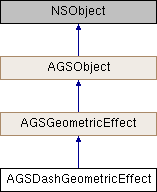
Instance Methods | |
| (instancetype) | - initWithDashTemplate: |
| (BOOL) | - isEqualToGeometricEffect: |
Class Methods | |
| (instancetype) | + dashGeometricEffect |
| (instancetype) | + dashGeometricEffectWithDashTemplate: |
Properties | |
| NSArray< NSNumber * > * | dashTemplate |
| AGSGeometricEffectType | type |
Method Documentation
§ dashGeometricEffect()
| + (instancetype) dashGeometricEffect |
Initialize a dash geometric effect
- Returns
- Initialized dash geometric effect
- Since
- 100.5
§ dashGeometricEffectWithDashTemplate:()
| + (instancetype) dashGeometricEffectWithDashTemplate: | (NSArray< NSNumber * > *) | dashTemplate |
Initialize a dash geometric effect using the provided template to define dashes and gaps
- Parameters
-
dashTemplate The dash and gap distances (DIPs) for the geometric effect, expressed as NSArray of NSNumbers (doubles).
- Returns
- Initialized dash geometric effect
- Since
- 100.5
§ initWithDashTemplate:()
| - (instancetype) initWithDashTemplate: | (NSArray< NSNumber * > *) | dashTemplate |
Initialize a dash geometric effect using the provided template to define dashes and gaps
- Parameters
-
dashTemplate The dash and gap distances (DIPs) for the geometric effect, expressed as NSArray of NSNumbers (doubles).
- Returns
- Initialized dash geometric effect
- Since
- 100.5
§ isEqualToGeometricEffect:()
| - (BOOL) isEqualToGeometricEffect: | (AGSGeometricEffect *) | other |
Compares whether this geometric effect is equal to another
- Parameters
-
other geometric effect to compare this one to
- Returns
- whether the two geometric effects are equal
- Since
- 100.5
Property Documentation
§ dashTemplate
|
readwritenonatomiccopy |
The template that defines dashes and gaps for the geometric effect
- Since
- 100.5
§ type
|
readnonatomicassigninherited |
Type of the geometric effect
- Since
- 100.5